 TraceForge
Visual walkthrough
The file, the Plan, the decision.
Use these genuine captures to understand the surfaces, then follow the linked guide for each task.
Open a project you can inspect
Confirm the project and its local libraries before asking for a change. The included example is an existing design, not generated output.
Open the practice project →Read the Plan before building
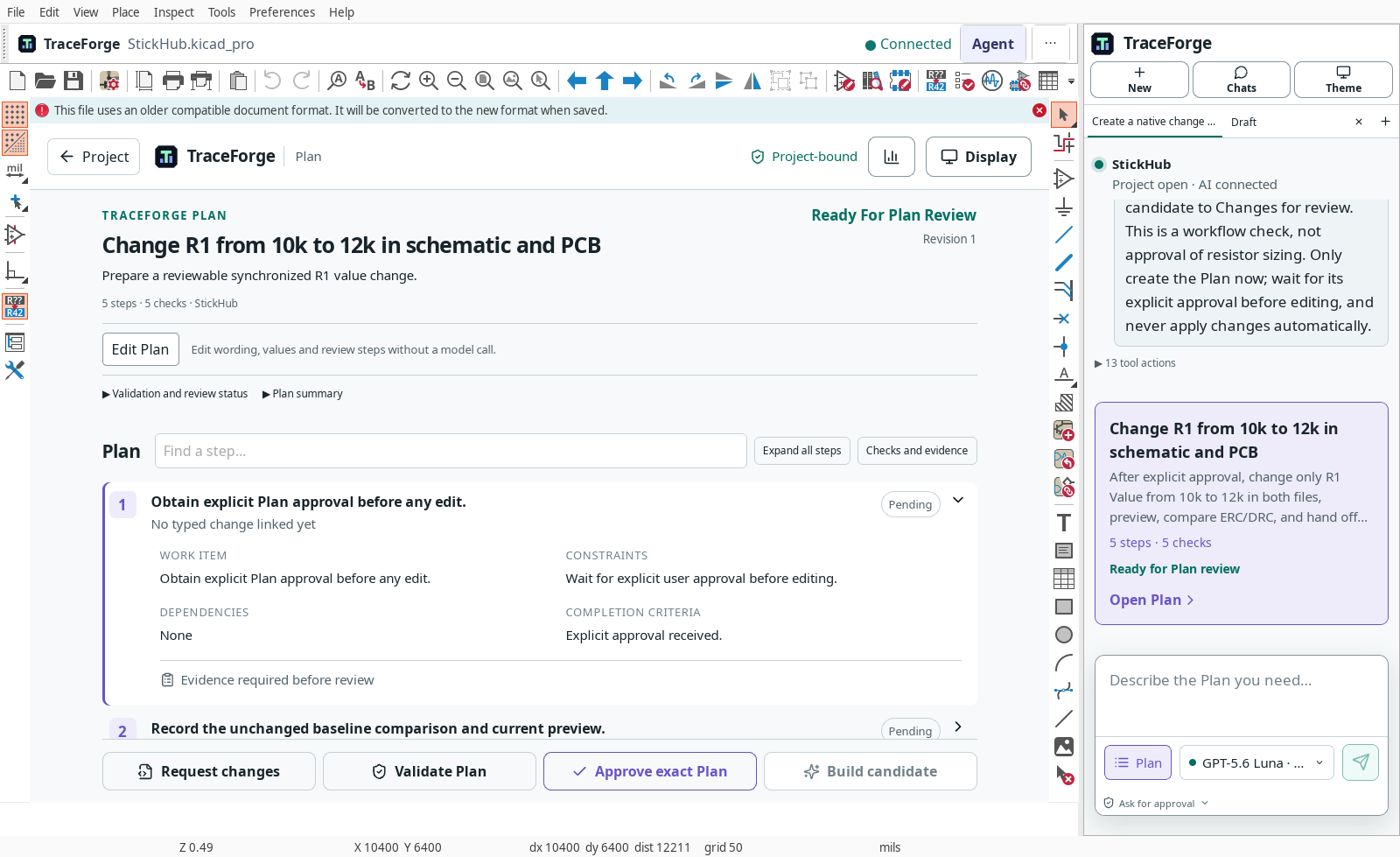
Check assumptions, dependencies and validation steps. Answer outstanding questions and approve the exact revision.
Follow the Plan guide →
Review evidence, not confidence
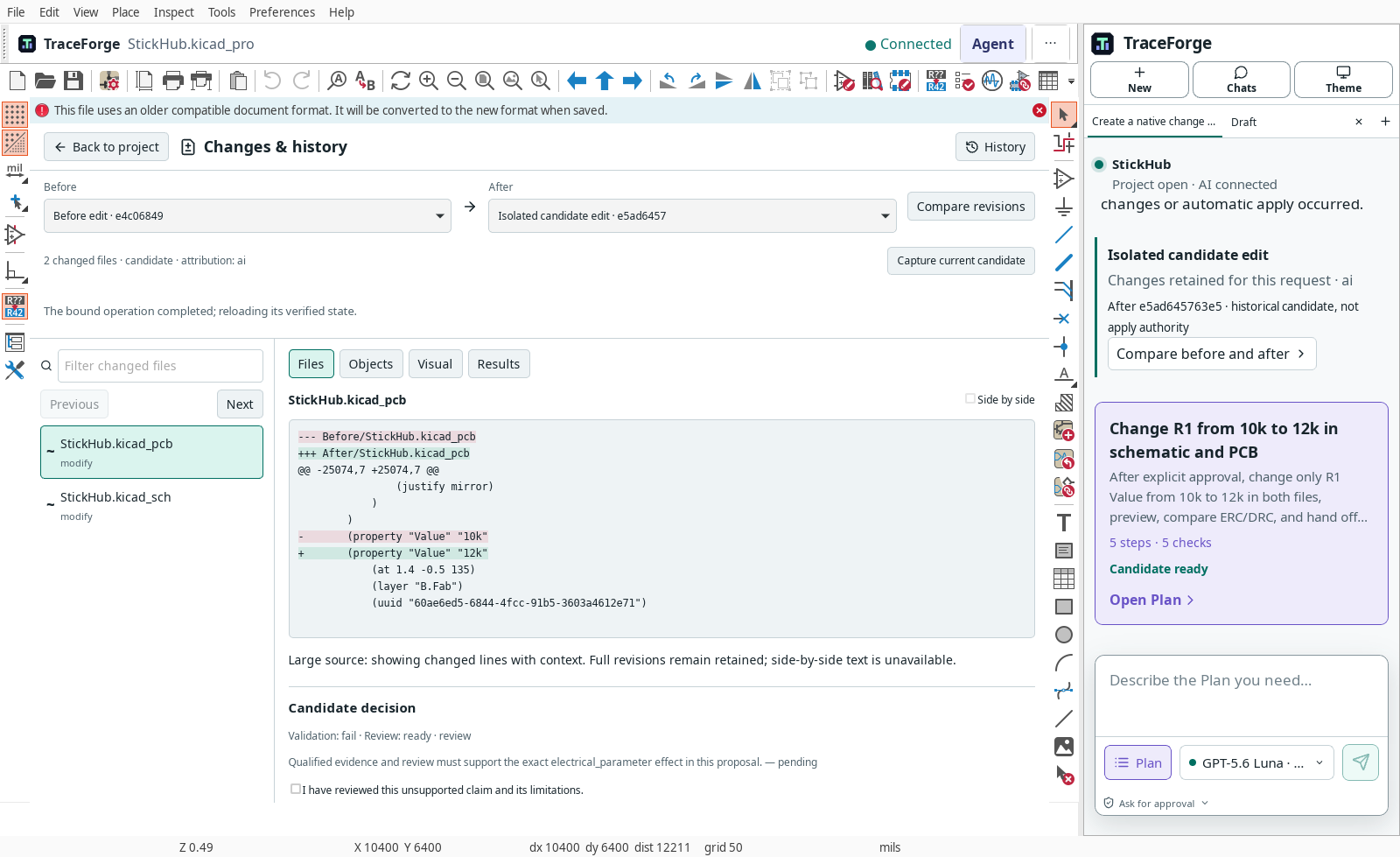
The displayed Files diff changes R1. A failed validation is visible. This capture is not approval of the electrical change.
Inspect Changes →
Try a smaller first change.
Start with a title-block comment instead of a component value. Learn the review and rejection path without changing circuit behavior.
Open the tutorial →