 TraceForge
THE TRACEFORGE WORKSPACE
One project.
A clearer next step.
Native circuit design, project-aware assistance and a review step that keeps you in control.
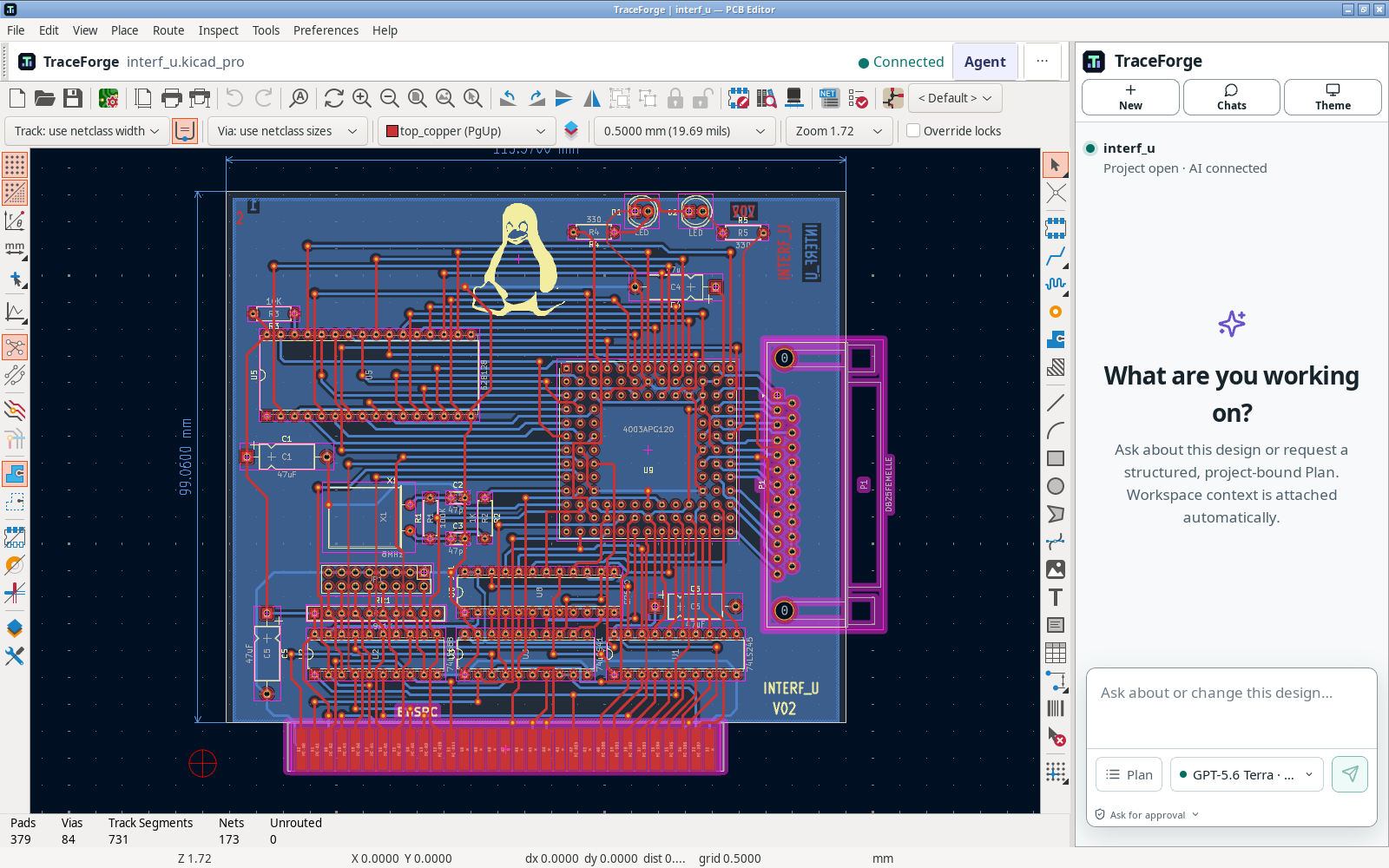
Keep the files that
make it your project.
Open compatible KiCad projects, schematics and boards. Work with local symbols, footprints and libraries. Keep your originals and save a copy before converting formats.
Project and library guide →Context before
the next command.
Ask a question, scope a Plan and inspect tool activity. Select the project context and permission mode deliberately. Model availability and thinking options are shown by the actual connected service, not a fixed website list.
Models, permissions and access →Inspect. Compare.
Then decide.
AI edits belong to an isolated candidate. Review before/after values, supported object changes and actual checks. Explicit Apply, saved revisions and recovery are separate from an assistant saying “done.”
Change review and recovery →From the right revision
to the right files.
Run configured ERC/DRC checks and export schematic/PCB drawings, Gerbers, drills and BOM data as supported. Verify revision, units, libraries and fabrication requirements independently.
Checks, previews and exports →CLEAR BOUNDARIES
Your files. Your permissions.
Your final decision.
Read the security and data boundaries →- Local engineering work
- Project editing and configured engineering checks run locally. Keep project backups outside the application folder.
- Connected AI, when you use it
- Relevant prompts and project context may reach the selected provider. Account, entitlement and usage limits apply; BYOK is not offline inference.
- Checks are not certification
- ERC, DRC and previews describe their actual inputs and rules. Local validation does not certify a design. Human review, manufacturability and physical testing remain your responsibility.
START SMALL. KEEP THE ORIGINAL.
First project.
First useful change.
Learn the workspace on a copy of the included KiCad example. No paid AI turn is needed for the manual tutorial.
Get the practice project ↓- 01
Open a project copy
Resolve its symbols and footprints, then find your way from schematic to board.
Your first project → - 02
Make a small, reversible edit
Save, close and reopen. Read the baseline checks before changing the circuit.
Understand the findings → - 03
Try the review path
When AI access is configured, request a bounded candidate. Compare it before deciding.
Permissions and candidates →